Free template · Reporting
Monthly social media report template
A monthly social media report shows what happened, why, and what you'll do next. This template works out the month-on-month change and the engagement rates for you, so your time goes into the insights rather than the arithmetic.
Preview
What's inside
- Summary: each KPI this month, last month and target, with the change and progress calculated
- Results by platform: followers, posts, reach, engagements, engagement rate and link clicks
- Top posts: what they were, their numbers and why they worked
- Insights and next steps: the headline, what worked, what didn't and next month's actions
- A printable version to fill in by hand
- A monthly calendar reminder to pull the numbers
The columns, explained
- KPI
- The few numbers tied to your goals. Keep the same list every month.
- This month
- The value for the month you're reporting on.
- Last month
- The same KPI for the previous month, same definition.
- Change
- Calculated: (this month − last month) ÷ last month.
- Target
- What you aimed for this month.
- Of target
- Calculated: this month ÷ target.
- What explains it
- One line on why the number moved.
How to use this template
Pull the numbers
Export last month's numbers from each platform or your social media tool, using the same date range for all of them.
Fill the summary and platform sheets
Enter this month, last month and your targets. The change, progress and engagement rates calculate themselves.
Add the top posts
List the three to five posts that did best on your main goal and note why you think they worked.
Write the story
A one-sentence headline, what worked, what didn't and next month's actions. Put that first when you send it.
Tips
- Lead with the headline and the decisions. Most readers stop after the first paragraph.
- Keep definitions fixed: the same date range, the same engagement rate formula and the same sources every month.
- Don't add up reach across platforms and call it people reached. The same person can be counted on several platforms, so label it as a sum.
- For seasonal businesses, compare with the same month last year as well as last month.
- Explain changes in plain words. "Reach rose because two Reels were recommended to non-followers" beats a chart with no story.
Do this automatically in HeyOrbit
Let the report build itself in HeyOrbit
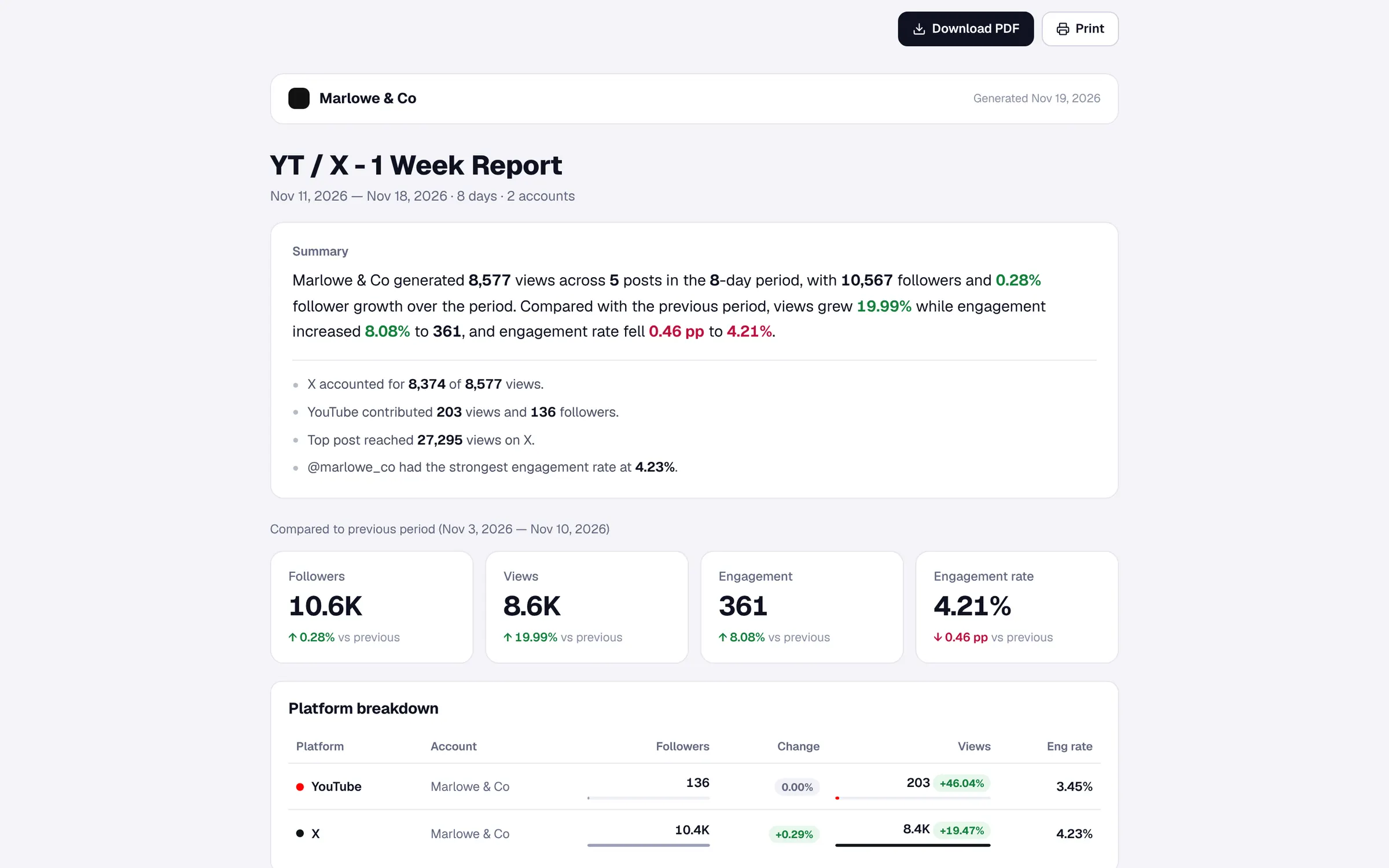
- Branded reports with an AI-written summary, period comparison, a platform breakdown and top posts.
- Share a live link, download a PDF, or have it emailed every week or month.
- Analytics for every account, measured in each platform's own terms, with CSV export.
- Your logo and colours on every report, included with every account.
Free to sign up. You pay $6 (₹499 in India) a month for each social account you connect, with unlimited team members. Book a call if you'd like a walkthrough.